Wine Swap Party Planner Printable Digital Editable

£4.00

Host a wine tasting and bottle exchange with The Midnight Cellar Wine Swap Party Planner. This navy-and-gold planner helps you organise an evening where each guest brings two bottles of wine. Open one to taste and share during the party, and keep the other sealed for the swap.

  • Party ideas and three swap formats to help you decide how guests will exchange bottles.

  • Shopping checklist, countdown calendar and running order to organise supplies and preparations.

  • Guest list, budget tracker and food pairing menu to keep RSVPs, dietary needs and spending together.

  • Printable party signs, tasting and voting cards, and a bottle draw tracker to guide guests from their first tasting to the final swap.

    1. Download and open the planner. Follow the download link provided with your order and save the editable HTML (.html) file. Find it in your Downloads folder and double-click it. If it opens in another app, right-click the file, choose Open With and select your web browser.

    2. Fill in your party details. Click the fields to enter your date, venue and budget. Use the guest list to track RSVPs and dietary needs, then plan your food pairings, shopping and running order.

    3. Plan the tasting and swap. Choose a swap format and use the bottle draw tracker to record who brought and collected each bottle. Ask each guest to bring two bottles of wine: one to open and share, and one to keep sealed for the swap.

    4. Save your progress. Your entries are saved in the browser you’re using. Select Export answers to download a backup, then use Import answers to load that backup later.

    5. Print or save a copy. Select Print / Save PDF and choose your printer or Save as PDF. Use the print preview to select just the pages you need, such as the party signs or tasting and voting cards.

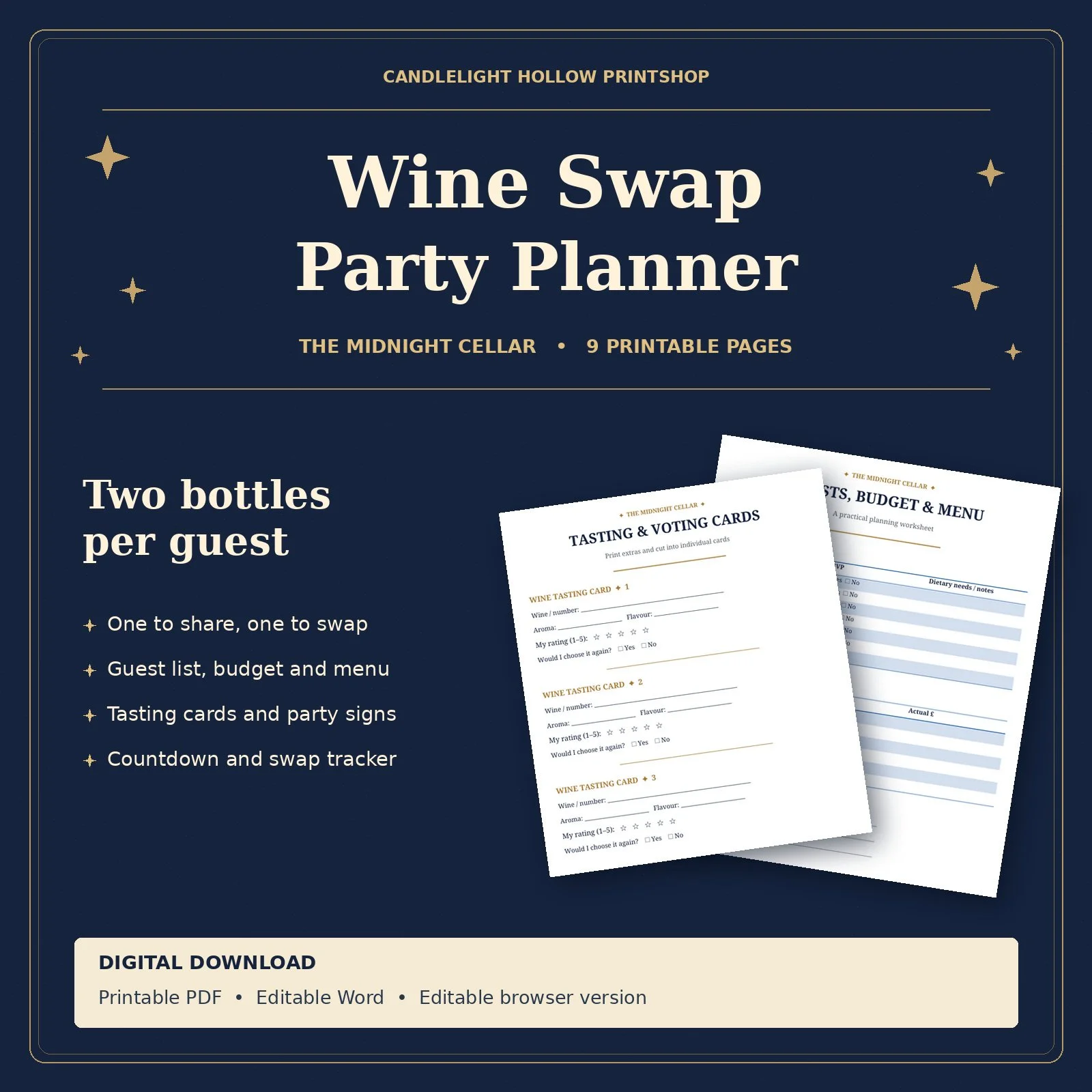
Host a wine tasting and bottle exchange with The Midnight Cellar Wine Swap Party Planner. This navy-and-gold planner helps you organise an evening where each guest brings two bottles of wine. Open one to taste and share during the party, and keep the other sealed for the swap.

  • Party ideas and three swap formats to help you decide how guests will exchange bottles.

  • Shopping checklist, countdown calendar and running order to organise supplies and preparations.

  • Guest list, budget tracker and food pairing menu to keep RSVPs, dietary needs and spending together.

  • Printable party signs, tasting and voting cards, and a bottle draw tracker to guide guests from their first tasting to the final swap.

    1. Download and open the planner. Follow the download link provided with your order and save the editable HTML (.html) file. Find it in your Downloads folder and double-click it. If it opens in another app, right-click the file, choose Open With and select your web browser.

    2. Fill in your party details. Click the fields to enter your date, venue and budget. Use the guest list to track RSVPs and dietary needs, then plan your food pairings, shopping and running order.

    3. Plan the tasting and swap. Choose a swap format and use the bottle draw tracker to record who brought and collected each bottle. Ask each guest to bring two bottles of wine: one to open and share, and one to keep sealed for the swap.

    4. Save your progress. Your entries are saved in the browser you’re using. Select Export answers to download a backup, then use Import answers to load that backup later.

    5. Print or save a copy. Select Print / Save PDF and choose your printer or Save as PDF. Use the print preview to select just the pages you need, such as the party signs or tasting and voting cards.