Image 1 of 1
Wine Swap Party Planner Printable PDF
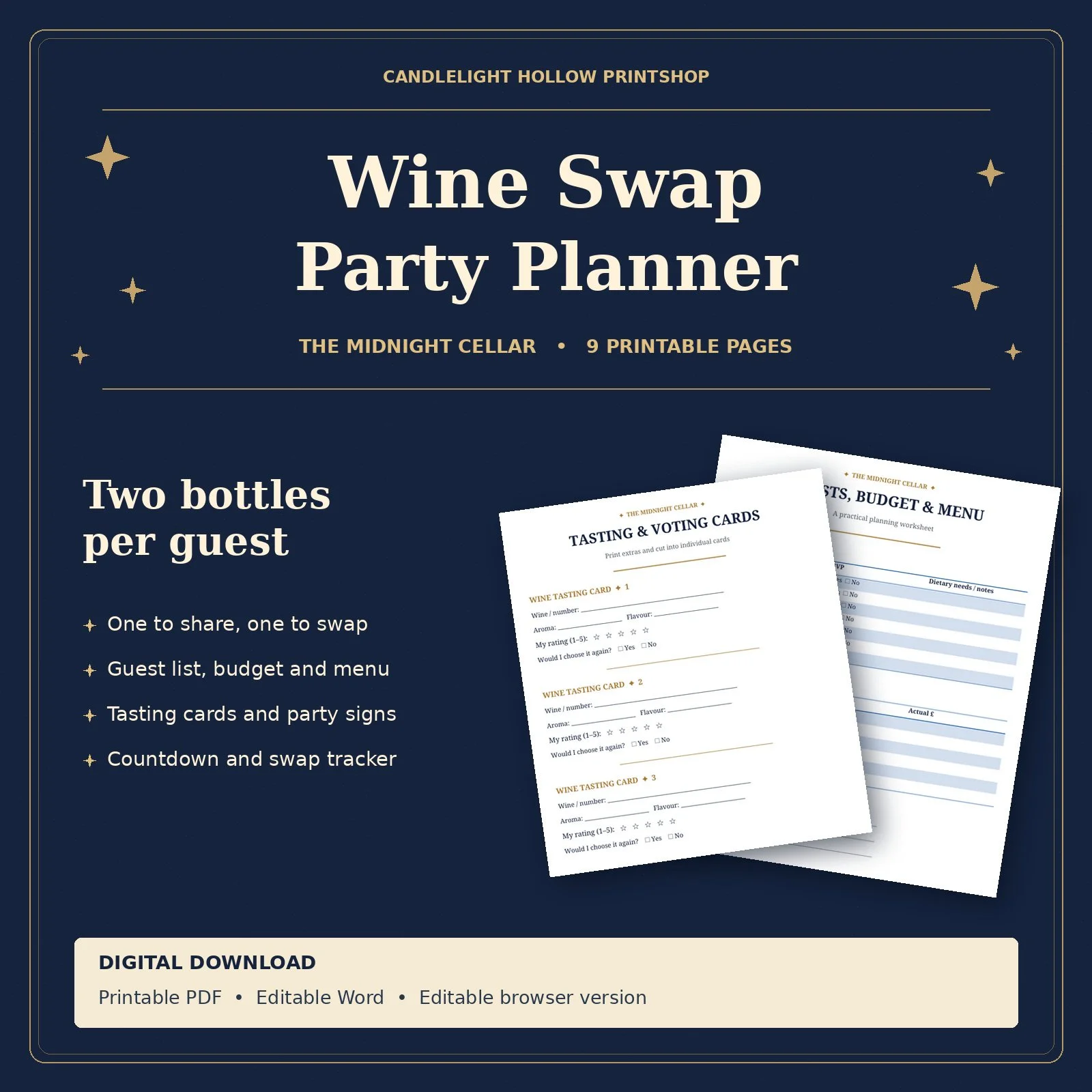
Host a wine tasting and bottle exchange with The Midnight Cellar Wine Swap Party Planner. This navy-and-gold planner helps you organise an evening where each guest brings two bottles of wine. Open one to taste and share during the party, and keep the other sealed for the swap.
Party ideas and three swap formats to help you decide how guests will exchange bottles.
Shopping checklist, countdown calendar and running order to organise supplies and preparations.
Guest list, budget tracker and food pairing menu to keep RSVPs, dietary needs and spending together.
Printable party signs, tasting and voting cards, and a bottle draw tracker to guide guests from their first tasting to the final swap.
How to download and print the PDF
1. Download the printable PDF
Follow the download link provided with your order. Choose the Printable PDF
(.pdf) and save it to your device. You’ll usually find it in your Downloads folder.
2. Open the file and select Print
Open the PDF and choose File > Print. You can also press Ctrl + P on Windows or
Command + P on Mac.
3. Check your print settings
Select your printer and choose Portrait. Set the paper size to match what’s loaded,
such as A4 or US Letter. If the preview shows any edges cut off, select Fit to
page.
4. Choose the pages you need
Select All pages to print the nine-page planner. For the party signs, print pages
6–7. For tasting and voting cards, print page 8 and select the number of copies you
need.
5. Print and prepare
Choose Colour to keep the navy-and-gold design, check the preview and select
Print. Fill in the worksheets by hand and cut apart the printed signs and cards
Host a wine tasting and bottle exchange with The Midnight Cellar Wine Swap Party Planner. This navy-and-gold planner helps you organise an evening where each guest brings two bottles of wine. Open one to taste and share during the party, and keep the other sealed for the swap.
Party ideas and three swap formats to help you decide how guests will exchange bottles.
Shopping checklist, countdown calendar and running order to organise supplies and preparations.
Guest list, budget tracker and food pairing menu to keep RSVPs, dietary needs and spending together.
Printable party signs, tasting and voting cards, and a bottle draw tracker to guide guests from their first tasting to the final swap.
How to download and print the PDF
1. Download the printable PDF
Follow the download link provided with your order. Choose the Printable PDF
(.pdf) and save it to your device. You’ll usually find it in your Downloads folder.
2. Open the file and select Print
Open the PDF and choose File > Print. You can also press Ctrl + P on Windows or
Command + P on Mac.
3. Check your print settings
Select your printer and choose Portrait. Set the paper size to match what’s loaded,
such as A4 or US Letter. If the preview shows any edges cut off, select Fit to
page.
4. Choose the pages you need
Select All pages to print the nine-page planner. For the party signs, print pages
6–7. For tasting and voting cards, print page 8 and select the number of copies you
need.
5. Print and prepare
Choose Colour to keep the navy-and-gold design, check the preview and select
Print. Fill in the worksheets by hand and cut apart the printed signs and cards