Gather friends, family or neighbours for an evening of Christmas songs and warm treats. The Christmas Carolling Party Planner helps you organise everything from the first invitation to the final song, whether you’re planning a neighbourhood route or a cosy singalong at home.
Party ideas and song suggestions to help you choose how to celebrate and put together your set list.
Guest list, route planner and budget tracker to keep track of who’s coming, where you’ll stop and what you’ll spend.
Shopping checklist, countdown calendar and running order to organise refreshments, decorations and preparations.
Printable party signs, a mini invitation and a thank-you card for welcoming guests and thanking them afterwards.
Download the HTML file. Follow the download link provided with your order and choose the UK edition (£) or US edition ($).
Open it in your web browser. Find the .html file in your Downloads folder and double-click it. If it opens in another app, right-click the file, choose Open With, and select Safari, Chrome or your preferred browser.
Start planning. Click any field to type your details and tick off items as you go. To return to your plans, reopen the file in the same browser. Use Download saved answers to keep a backup, or Print / Save PDF for a printable copy.
Gather friends, family or neighbours for an evening of Christmas songs and warm treats. The Christmas Carolling Party Planner helps you organise everything from the first invitation to the final song, whether you’re planning a neighbourhood route or a cosy singalong at home.
Party ideas and song suggestions to help you choose how to celebrate and put together your set list.
Guest list, route planner and budget tracker to keep track of who’s coming, where you’ll stop and what you’ll spend.
Shopping checklist, countdown calendar and running order to organise refreshments, decorations and preparations.
Printable party signs, a mini invitation and a thank-you card for welcoming guests and thanking them afterwards.
Download the HTML file. Follow the download link provided with your order and choose the UK edition (£) or US edition ($).
Open it in your web browser. Find the .html file in your Downloads folder and double-click it. If it opens in another app, right-click the file, choose Open With, and select Safari, Chrome or your preferred browser.
Start planning. Click any field to type your details and tick off items as you go. To return to your plans, reopen the file in the same browser. Use Download saved answers to keep a backup, or Print / Save PDF for a printable copy.

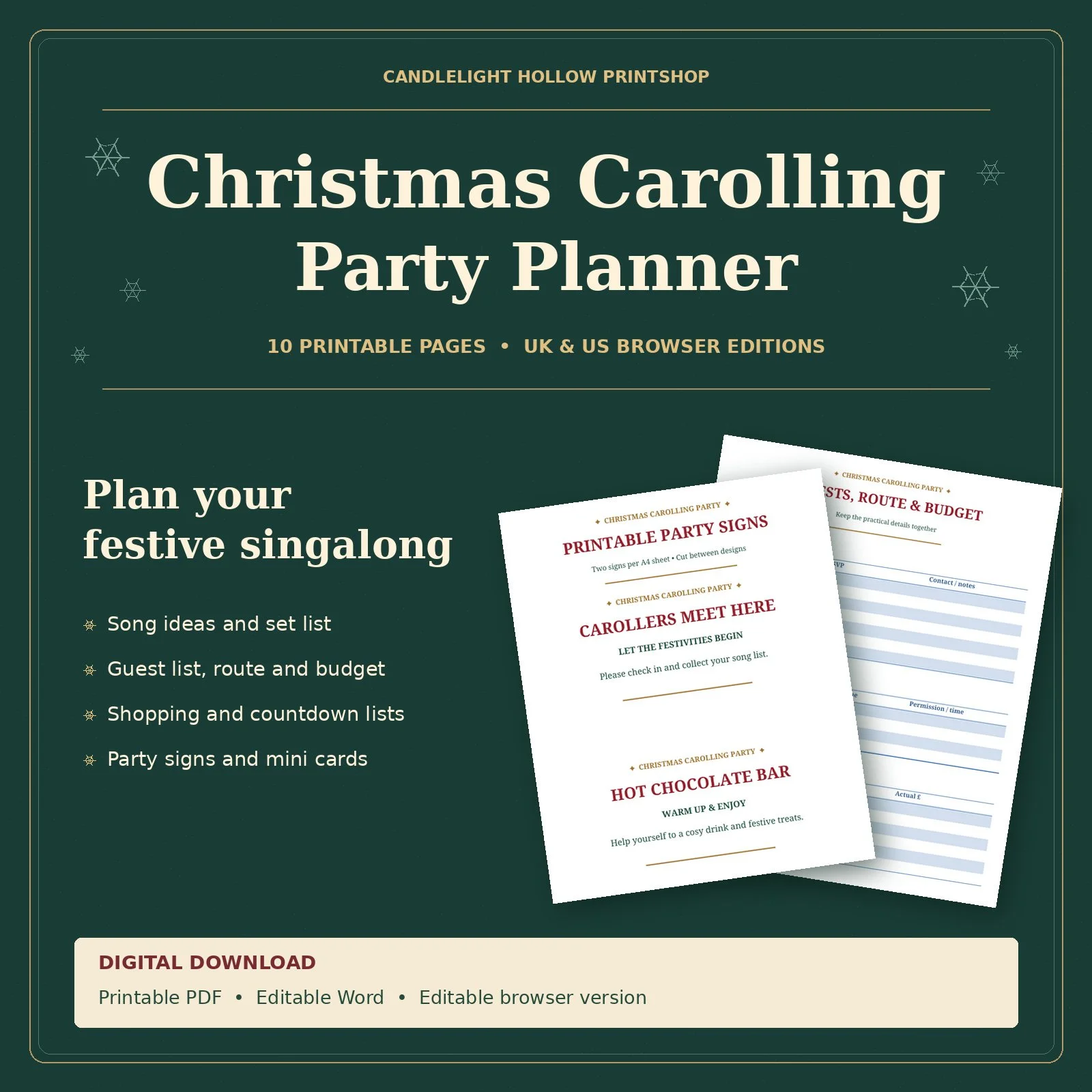 Image 1 of 1